Part 3 of 4
A Logic Template That Begins with the Song
Logic should open like a ready room, not like a blank technical problem.
When I want to make a song, the first instinct is simple: hit the drums, or pick up a guitar and give it a strum. I do not want that moment swallowed by loading instruments, rebuilding tracks, fixing inputs and trying to remember where everything is routed.
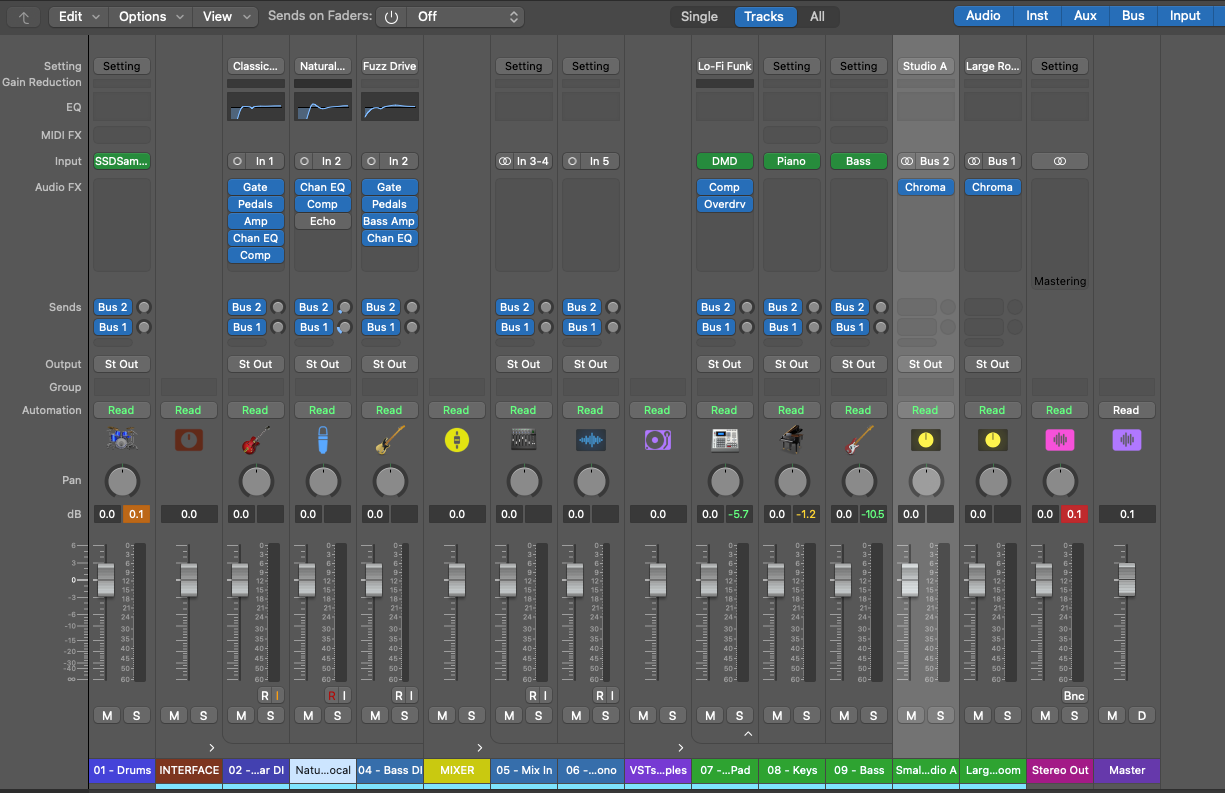
Ready before the idea arrives
The template gives me a better starting point. Steven Slate Drums are ready to load in a setup I already like. Guitar has options: it can go through the mixer, feed through the mono output, be recorded through the Roland Cube, or be given a clear channel when somebody else turns up with their own guitar and amp.
The point is not to decide the song in advance. It is to remove the boring decisions between an impulse and a sound. Drums, guitar, vocal, bass, pads, keys and capture paths are there as practical doors I can walk through, not a set of rules I have to obey.
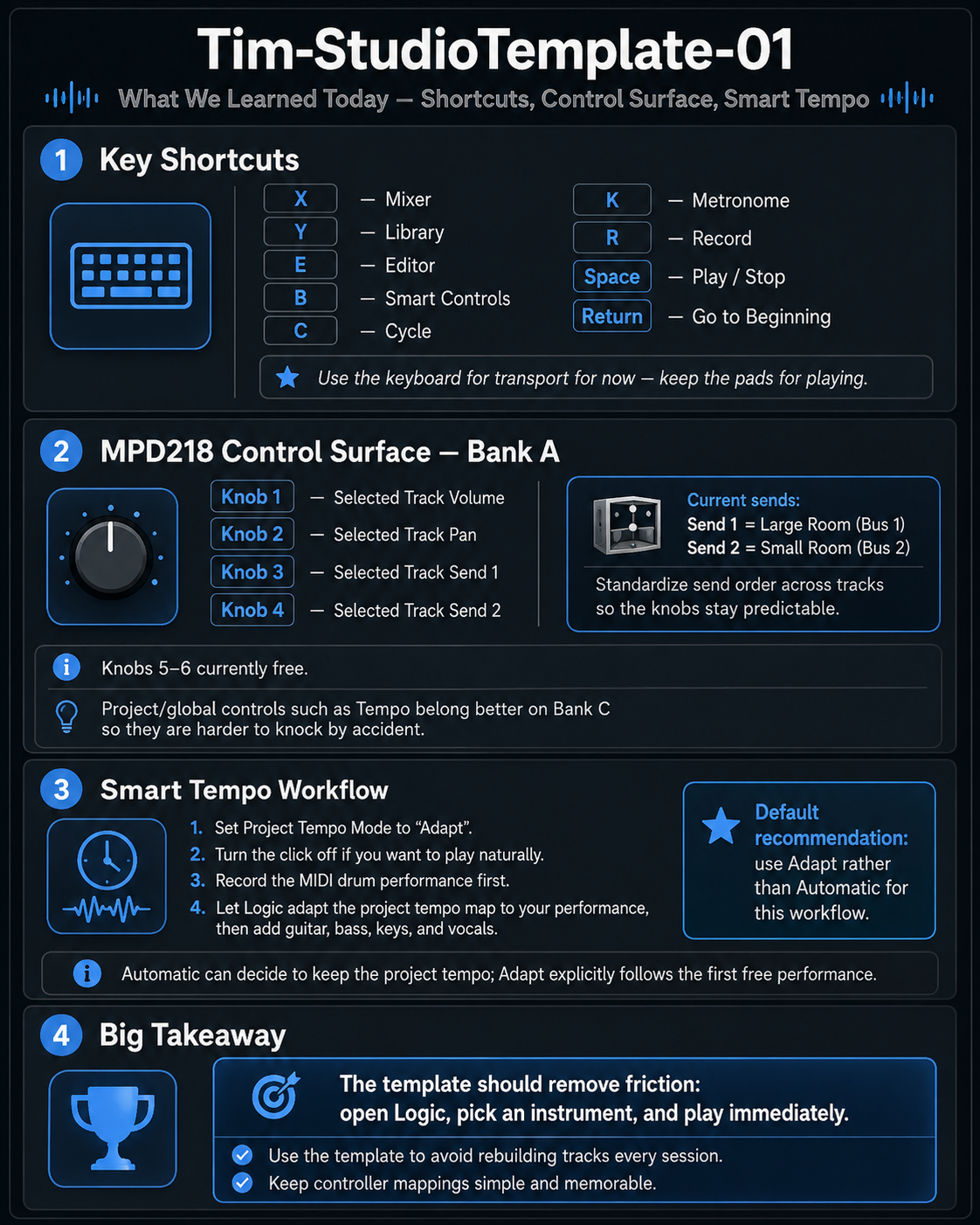
It will keep evolving. That is part of the point. A good template is not a finished blueprint; it is a record of what has proved useful in the room. But opening Logic now feels much more like entering a ready room and much less like opening a blank technical problem. That is a surprisingly large improvement.